Give members a discount
Take a percent or a dollar amount off members' boxes, for a few members, one share size, or a whole season.
A discount takes money off each box it covers. Use it to keep a member for a while (“15% off for the next 6 months”), reward early members, or run a deal on one share size or season. Copia builds the discount into each box’s price, so invoices, saved-card charges and check-in all charge the lower amount.
Add a discount
- Go to Copia → Billing and click Discounts.
- Click Add discount.
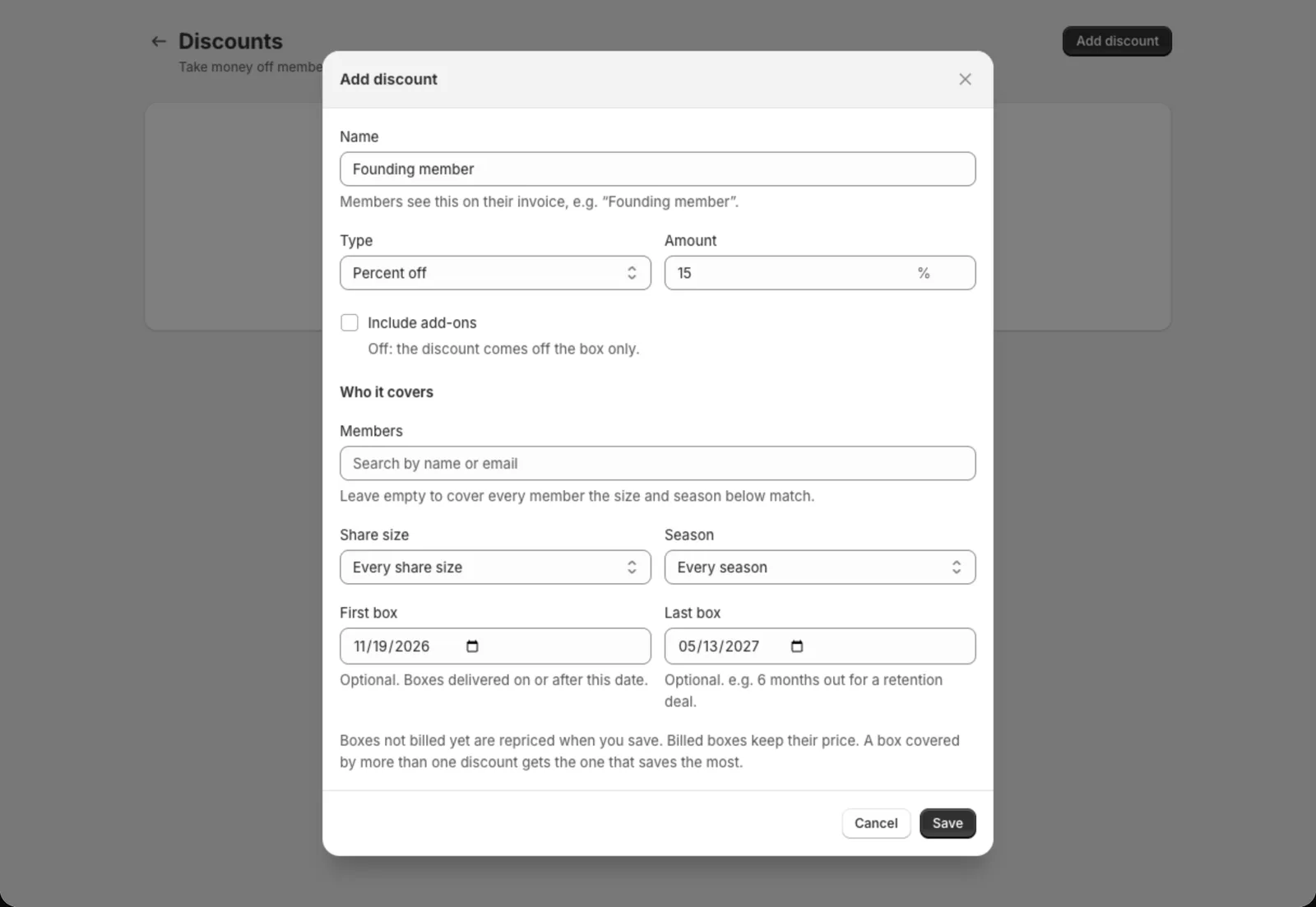
- Give it a Name. Members see it on their invoice, for example “Founding member”.
- Pick the Type: Percent off, or Dollars off each box. Then enter the Amount.
- Leave Include add-ons off to take the discount off the box only. Tick it to take it off the member’s add-ons too.
- Under Who it covers, choose who gets it (see below).
- Click Save.
Choose who it covers
Mix any of these. Each one you set narrows who gets the discount.
- Members: search by name or email and pick one or more members. Leave it empty to cover every member that the size and season match.
- Share size: one size, like Full, or Every share size.
- Season: one season, or Every season.
- First box and Last box: optional dates. Only boxes delivered on or between these dates get the discount. For a 6-month deal, set Last box 6 months out, and the discount stops on its own after that.
Some examples:
| You want | Set |
|---|---|
| 15% off for a few members for 6 months | Pick the members, Last box 6 months out |
| $5 off every Full box this season | Share size Full, Season this season |
| 10% off for everyone | Leave everything empty |
What members pay
- Boxes not billed yet get the new price as soon as you save.
- Boxes already billed or paid, including a season paid up front, keep the price they were billed. Nothing is refunded or credited.
- If more than one discount covers a box, the box gets the one that saves the most. Discounts don’t add together.
- A dollar discount never takes a box below $0. With Include add-ons ticked, anything left over comes off the add-ons.
- On an invoice, the box line shows the discount, like “Full Share (Founding member — 15% off)“. On a saved-card charge, the receipt shows the lower total, with the difference as a “Copia adjustment” discount.
New members get it when they sign up
A discount with no members picked also comes off a new member’s first checkout. Your signup form shows the lower price on each share size it covers, and checkout takes it off the boxes it pays for that the discount covers. On a prepaid plan, or a season paid up front, only the boxes inside your First box and Last box dates get it.
This needs one extra Shopify permission, Edit discounts. Shopify asks you to approve it the next time you open Copia. Until you do, new members pay full price for their first box, the discount starts from their next one, and Discounts shows a note saying so.
A discount for members you picked starts from their next box billed, because they aren’t members yet when they check out.
Tip: Copia keeps a discount called “Copia member discounts” in Shopify → Discounts. It’s how checkout knows about your Copia discounts, so change discounts in Copia → Billing → Discounts, not there.
Give one member a discount
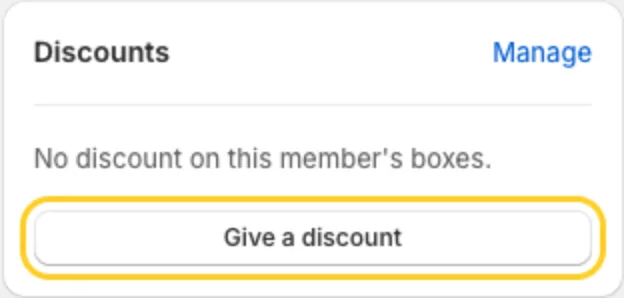
On the member’s page, the Discounts card shows any discount covering their boxes. Click Give a discount to open the form with that member already picked.
Each time a discount changes a member’s prices, their Activity shows Discount changed, with each box’s old and new price.
Change, end or delete a discount
On Billing → Discounts:
- Click a discount to edit it. Saving updates the price of every box not billed yet.
- Click End to stop it but keep it in the list. Boxes not billed yet go back to full price. Click Turn on to bring it back.
- Click Delete to remove it for good. Boxes not billed yet go back to full price.
See Billing members for how billing runs.