Help Center
Emails & Settings
Farm settings
Your farm profile, brand colours, wording, menu, and other settings that apply across Copia.
Copia → Settings holds the settings that apply to your whole farm.
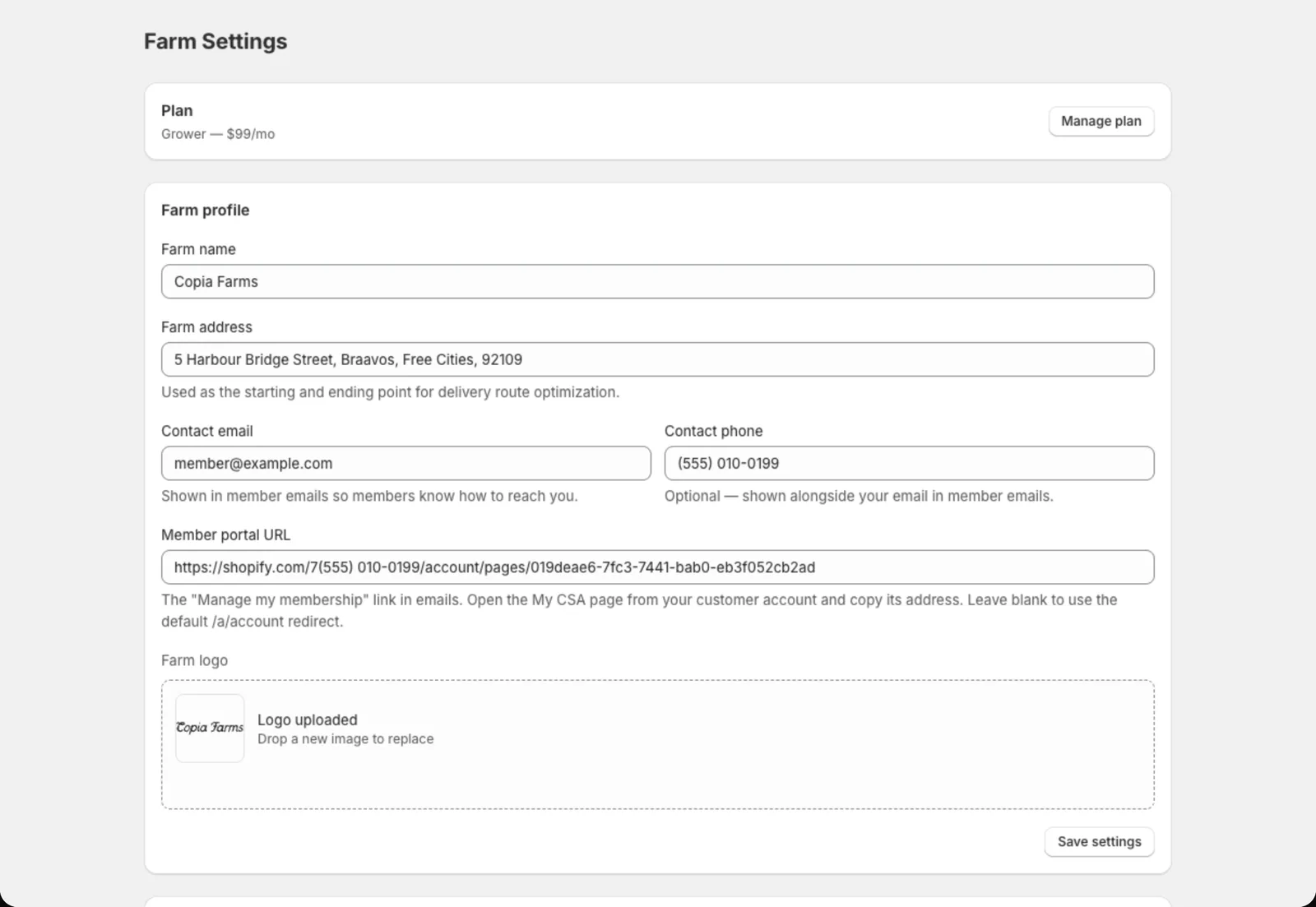
Farm profile
- Farm name and logo: shown on the signup form, member portal and every email
- Farm address: where delivery routes start and end
- Contact email and phone: shown in member emails, and where member replies go
- Member portal URL: the link to My CSA, included in emails (see Setting up the member portal)
- Farm timezone: when scheduled emails go out (8:00 AM your time)
Brand colors
Set your primary colour, backgrounds, text and borders. These are used on the signup form, member portal and emails. The Preview shows how buttons and options will look. You can also set the signup form’s Text size.
Terminology
Make Copia talk the way you do:
- Singular term / Plural term: “Share” / “Shares”, or “Box” / “Boxes”, “Bag” / “Bags”…
- CSA label: what you call the program, like “CSA” or “Veggie Club”
- Organization term: “farm”, “garden”, “co-op”…
These words are used in the admin menu, signup form, emails and invoices.
Navigation
Hide features you don’t use from the Copia menu: Harvest Planning, Pickup Locations, Delivery Routes or Fulfillment. They’re only hidden, so you can turn them back on any time.
Delivery settings
- Unpaid setup invoices: what happens when a member hasn’t paid their first invoice by delivery day. See Billing members.
Signup form settings
- Show delivery count on season cards, like “49 deliveries”
- Show estimated season total on review screen, like ”~$1,200 est. over 50 deliveries”
- Pay-in-person settings: the heading, message and payment note on the confirmation screen for members who pay at pickup
Item categories and cancellation reasons
- Item categories group items in “Build my box”, like Greens, Roots and Fruit.
- Cancellation reasons are the options you pick from when a member cancels. Turning a reason off hides it but keeps its history, so you can still see why members left.
Plan
Plan → Manage plan shows your Copia subscription and lets you change it.