Help Center
Setup
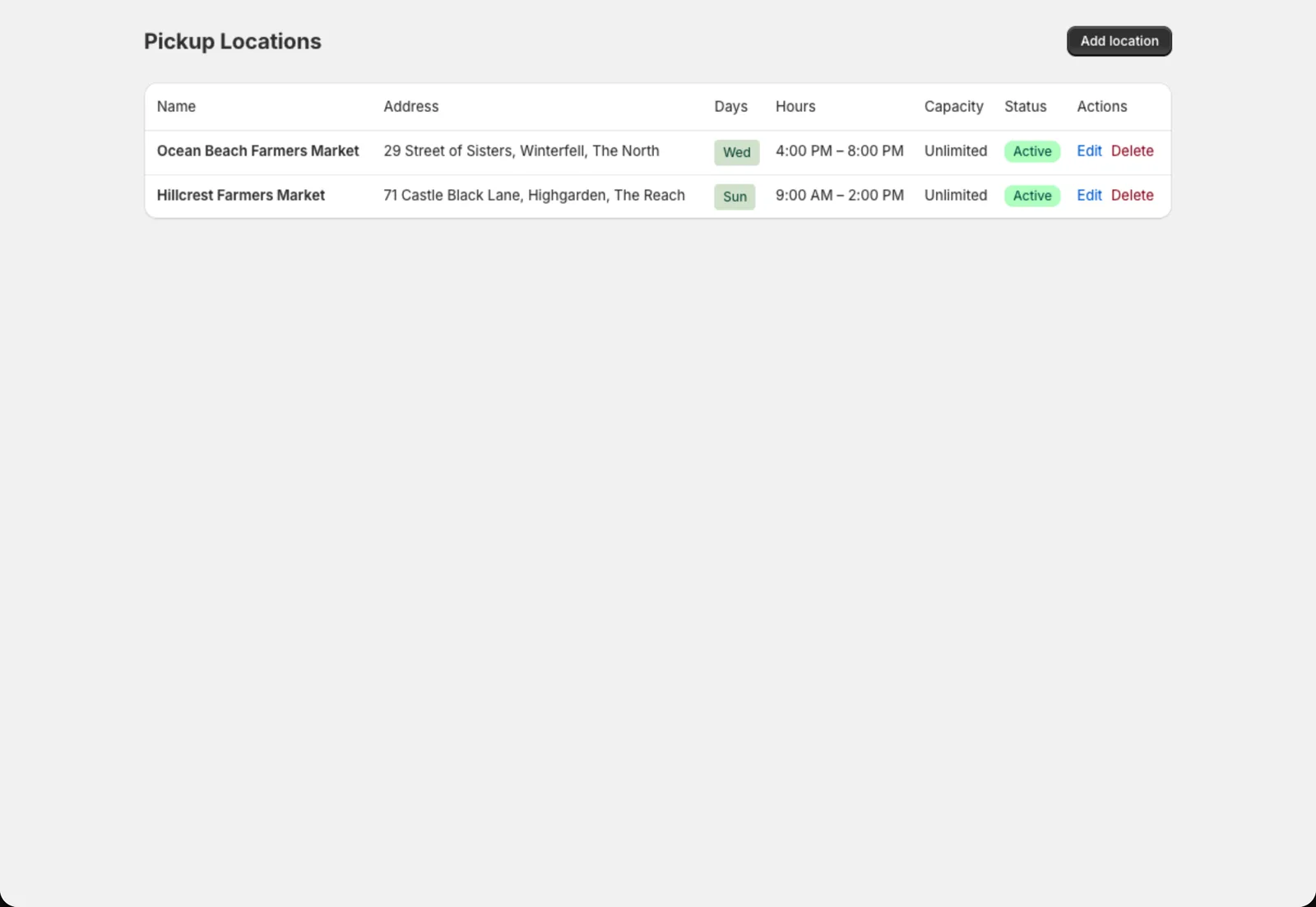
Pickup locations
Add the farm stand, market or drop site where members collect their boxes.
Pickup locations are the places members collect their boxes: your farm stand, a farmers market, a neighbourhood drop site. Members choose one when they sign up.
Add a location
- Go to Copia → Pickup Locations and click Add location.
- Fill in:
- Location name: what members see, like “Saturday Farmers Market”
- Address
- Pickup day(s) and Pickup window, like Saturday 9am–1pm. Members see this so they know when to come.
- Pickup instructions (optional), like “Look for the green tent near the north entrance”
- Member capacity (optional): the most members per delivery date. Leave it blank for no limit.
- Click Save.
Where locations show up
- In the signup form, as cards members choose from
- In reminder emails, with the pickup window and instructions
- On the pack list, grouped by location so each site’s boxes are packed together
- At check-in, so you can see who’s due at each location
Changing or removing a location
Click Edit to change any detail. Members at that location see the update in their next email.
Before you delete a location, move its members somewhere else from their member pages.
Tip: Only do home delivery? Hide Pickup Locations from the Copia menu in Settings → Navigation, and turn pickup off in your share type’s Fulfillment options.