Seasons and delivery dates
Create a season, pick your delivery dates, set a default box, and invite members back next year.
A season is a run of delivery dates, like “Fall 2026” or a year-round share. Members sign up for a season, and Copia creates a box for each member on each delivery date. Those boxes are what you bill, pack and deliver.
Create a season
- Go to Copia → Seasons and click Add season.
- Give it a Season name. Members see this name.
- Choose Seasonal (has an end date) or Year-round (keeps going).
- Pick the Default delivery cadence: weekly, biweekly or monthly. Turn on Let members choose their cadence to offer more than one.
- Pick your Delivery dates (see below).
- Click Save.
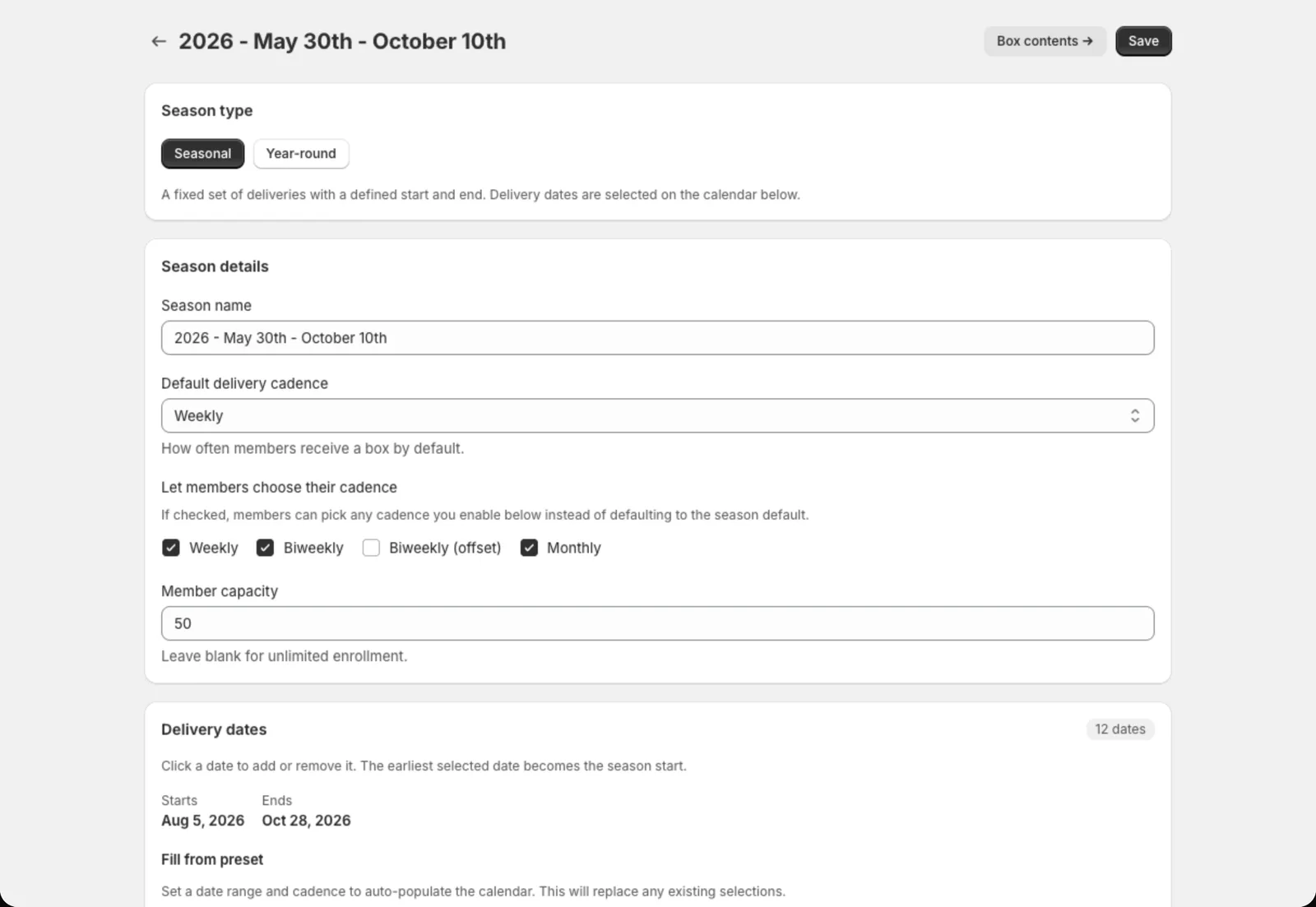 Click dates on the calendar to add or remove them.
Picking delivery dates
The quickest way is Fill from preset: enter a start date, end date and cadence, then click Fill dates. After that, click any single date to add or remove it, for example to skip a holiday week.
For year-round seasons, turn on Auto-generate delivery windows. Copia then keeps adding new dates a few weeks ahead (you choose how many), so you never run out.
Enrollment settings
- Enrollment open: turn this off to stop new signups
- Allow mid-season join: let people join after the season has started
- Member capacity: the most members for the whole season. Leave it blank for no limit.
- Signup cutoff (days): how close to a delivery someone can sign up and still get that week’s box. Set it to 0 to include the very next delivery.
- Hold generates credit: when a member pauses, give them credit for the deliveries they miss. See Holds, skips and credits.
Set a default box
Click Box contents on a season to set the items that usually go in a box. Every new delivery date starts with these items, and you adjust each week in Harvest Planning.
- Add item adds one item at a time. Link it to a Shopify product, set the quantity per full share and the unit (lbs, bunches, each…).
- Import from collection adds a whole Shopify collection at once.
- Auto-populate empty windows fills any delivery dates that don’t have items yet. Dates that already have items aren’t touched.
Season list actions
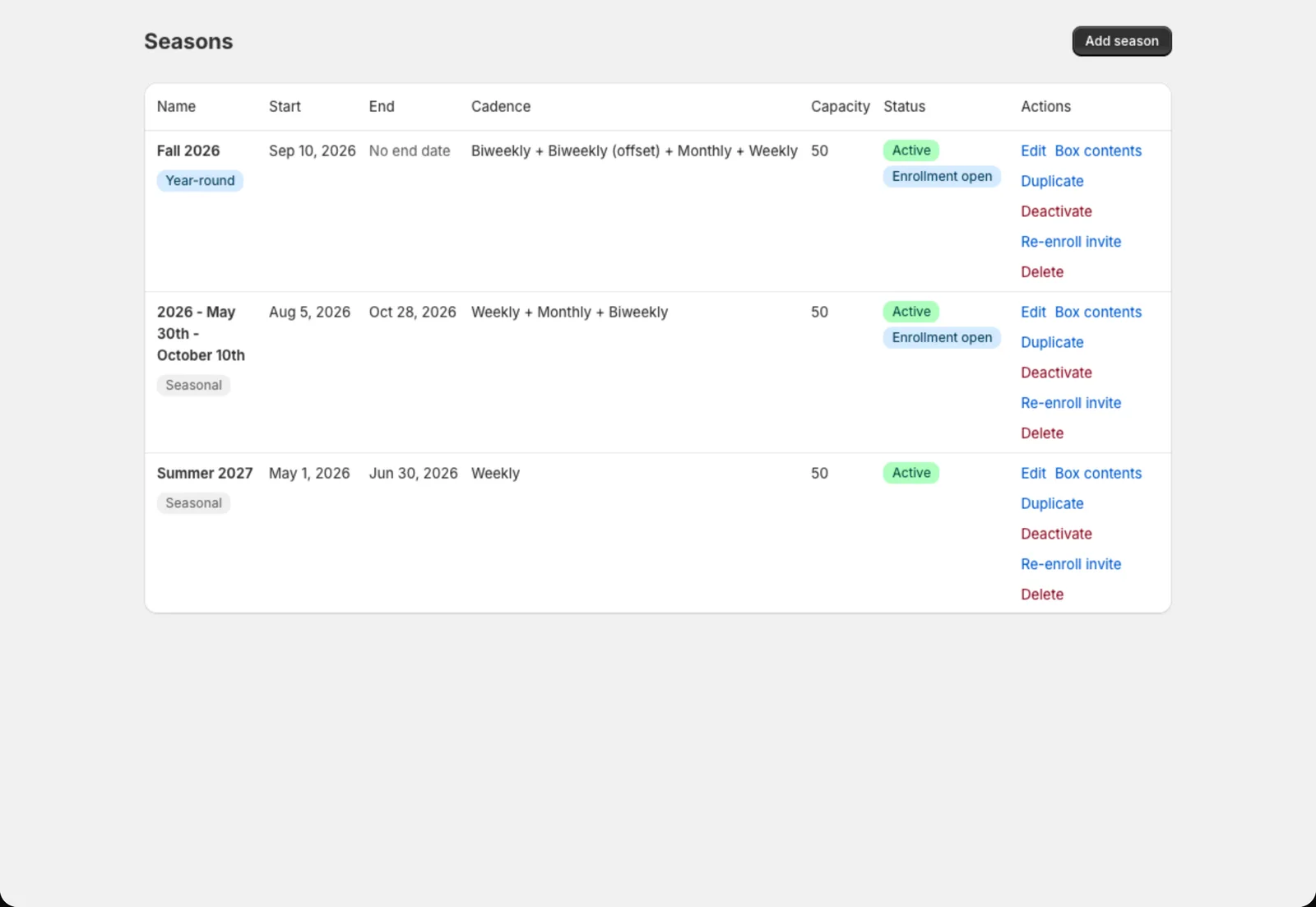
From Copia → Seasons, each season has quick actions:
- Duplicate: copy a season’s settings to start next year’s
- Re-enroll invite: email everyone in the season a link to sign up again
- Box contents: jump to the default box
- Delete: permanently removes the season and every member in it. To end a season, use Close season instead (below).
Ending a season
On the season’s Box contents page, Close season stops enrollment and cancels all future unbilled deliveries. This can’t be undone, so only do it when the season is really over.