Managing a member
Everything on the member page, from changing a size to editing a single delivery or cancelling.
Click any member in Copia → Members to open their member page. Everything about that member lives here.
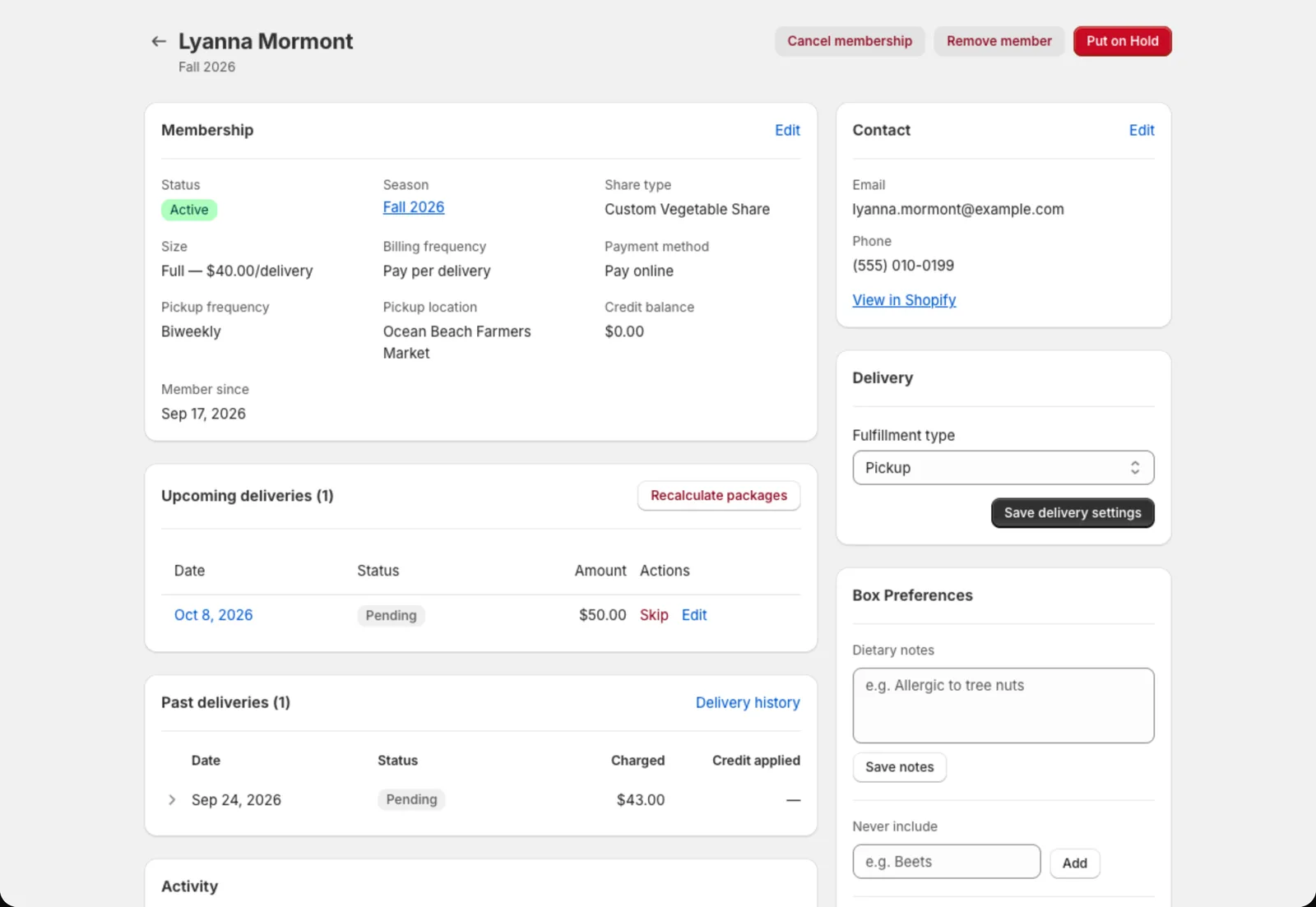
Membership details
The top card shows their status, season, size, billing frequency, payment method, pickup location or delivery address, and credit balance.
Click Edit to change any of these: switch them to a bigger size, move them to a different pickup site, change how often they pay, or set their credit balance. Copia updates their future unbilled deliveries to match.
Upcoming deliveries
A list of every upcoming box with its date, amount and status. Each delivery has:
- Skip / Unskip: take a single week off, or put it back
- Edit (click the delivery): add a one-time add-on just for that week, swap items in the box, or change the amount
If a delivery has already been invoiced, Copia tells you and offers Update invoice so the member’s bill matches your changes.
Pausing and cancelling
- Put on Hold: pause the membership. Pick start and end dates, or leave both blank to pause from today until you resume them. Click Cancel Hold to resume.
- Pause share / Cancel share: for members with more than one share, pause or cancel just one of them.
- Cancel membership: ends the membership and cancels future boxes. You’ll pick a reason (from your list in Settings → Cancellation reasons) and can add a note.
Boxes that are already paid are never touched. If a box was invoiced but not paid yet, pausing or cancelling drops it and cancels the unpaid Shopify order.
Tip: Remove member permanently deletes the member and their history from Copia. Use Cancel membership instead, unless the member was added by mistake. Their Shopify customer account isn’t affected either way.
Contact and delivery info
- Contact: name, email and phone. Click View in Shopify to open their customer record.
- Delivery: address and delivery instructions (like gate codes) for drivers.
Box preferences and add-ons
- Dietary notes, Never include items and Standing swaps. Members can set these from the member portal, and you can set them here too. They print on the pack list.
- Add-ons: see, edit or add recurring extras. See Add-ons.
Credits and bill adjustments
- Credit history lists every credit added or used.
- Bill adjustments → Add to next bill adds a one-off charge, like a replaced cooler bag. It shows on their next invoice as its own line. To give money back, use the credit balance instead.
See Holds, skips and credits for how credits work.
Activity
At the bottom, Activity is a timeline of everything that’s happened to this member: signup, charges, skips, holds, changes they made in the portal, and more. It’s the first place to look when a member asks “why was I charged this?”